
New Delhi, India | January 28, 2026
The Unique Identification Authority of India (UIDAI) is set to roll out the full version of its new Aadhaar mobile application today, January 28, 2026, marking a major step toward fully digital identity services.
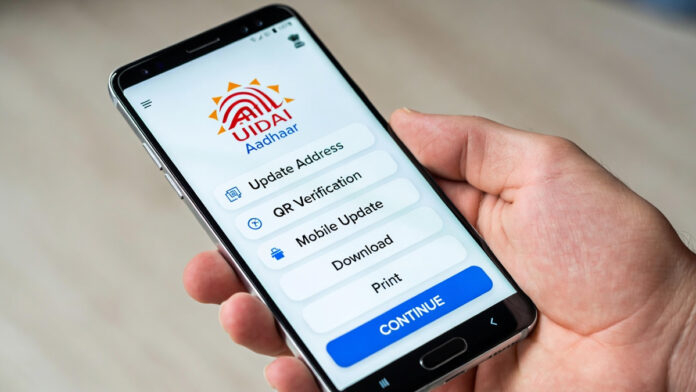
While the Aadhaar app has already been introduced in a limited form, the full-featured version launching today will allow users to complete several Aadhaar-related tasks directly from home, reducing the need to visit Aadhaar Seva Kendras.
Why Aadhaar Matters for Everyday Services
Aadhaar remains a critical identity document in India, required for services such as SIM card issuance, school and college admissions, bank account opening, and accessing government welfare schemes. With the new app update, UIDAI aims to make Aadhaar services faster, safer, and more convenient.
When Will the Full Version Be Available?
The full version of the new Aadhaar app launches today, January 28, 2026
Users will gain access to multiple new and essential digital features
Dependence on physical Aadhaar cards is expected to reduce significantly
Aadhaar Updates You Can Do From Home
According to available information, the updated app will allow users to:
Change or update the Aadhaar-linked mobile number
Update residential address online
Request updates to name and email ID (subject to verification)
These services are expected to simplify the Aadhaar update process and reduce long waiting times at physical centers.
Will Physical Aadhaar Cards Become Obsolete?
With the new app:
Your smartphone can function as a digital Aadhaar ID
There will be no need to show or submit photocopies of Aadhaar at hotels, guest houses, or other institutions
QR code–based Aadhaar verification will be available for secure identity authentication
How the New App May Prevent Aadhaar Misuse
UIDAI officials believe the shift to digital and QR-based verification will strengthen data security. The practice of sharing Aadhaar photocopies has often raised misuse concerns, which could now be minimized through controlled, app-based identity sharing.
How to Install and Use the New Aadhaar App
Download the app from the Google Play Store
Log in using your Aadhaar number and registered mobile number
Complete the required verification steps
Access available update and verification options within the app